Wix vs Squarespace: Which Website Builder Should You Choose in 2026?
When comparing wix vs squarespace, the short answer is: Wix wins on features and flexibility, while Squarespace wins on design quality and ease of use. Neither is perfect for everyone — the right choice depends on what your business actually needs.
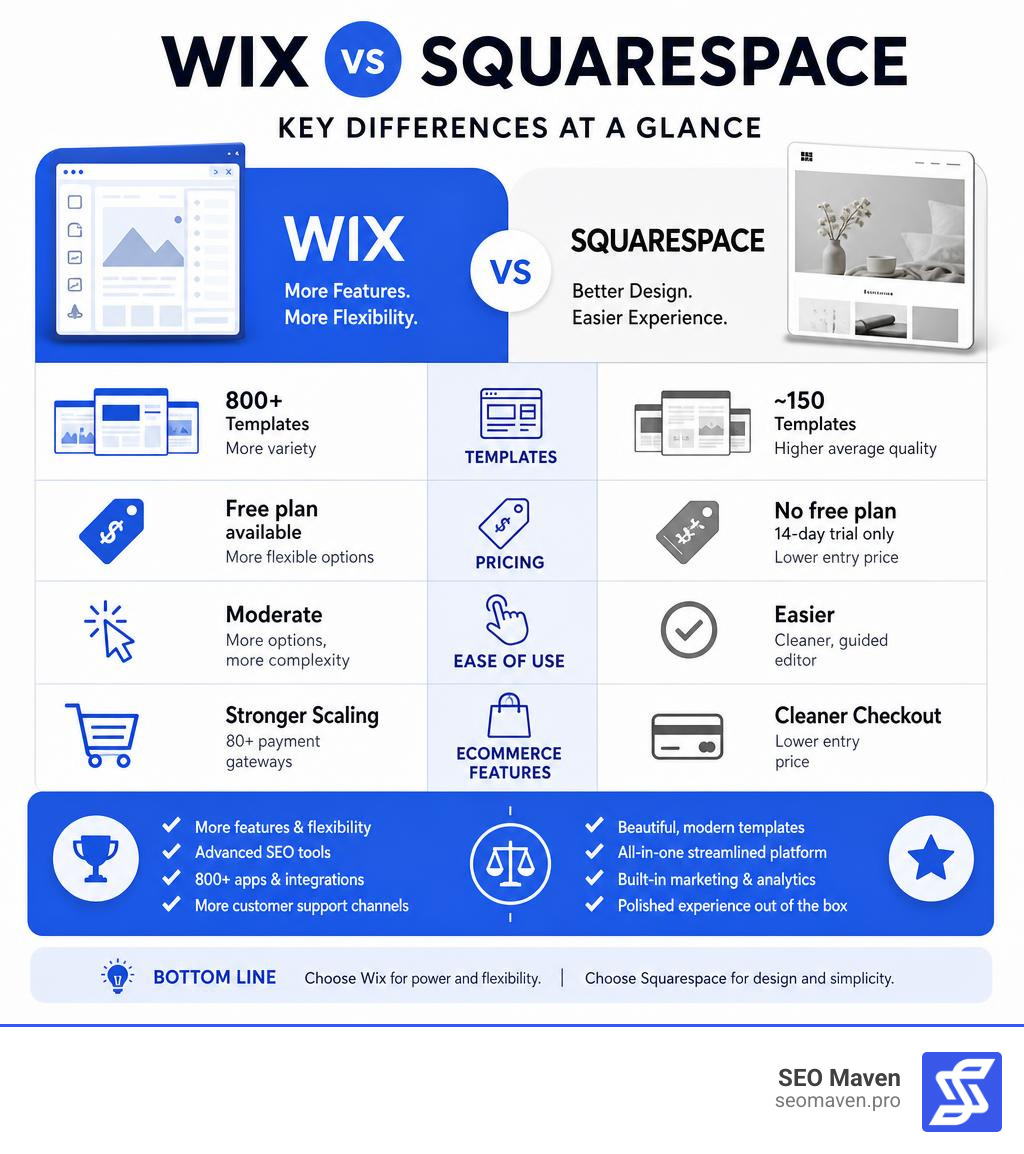
Here is a quick breakdown to help you decide fast:
| Category | Wix | Squarespace |
|---|---|---|
| Best for | Small businesses, marketing tools, ecommerce | Creatives, photographers, polished branding |
| Ease of use | Moderate (more options, more complexity) | Easier (cleaner, guided editor) |
| Templates | 800+ (more variety) | ~150 (higher average quality) |
| AI tools | Conversational chatbot builder | Structured Blueprint AI setup |
| Free plan | Yes (ad-supported) | No (14-day trial only) |
| SEO tools | More advanced (Semrush integration, AI meta tags) | Solid built-in defaults |
| Ecommerce | Stronger scaling, 80+ payment gateways | Cleaner checkout, lower entry price |
| App marketplace | 800+ apps | ~50 extensions |
| Customer support | More channels including phone | Email and live chat only |
| Overall score | 83.75/100 | 79/100 |
Both platforms are among the most popular website builders in the world — and for good reason. They are designed to help non-technical users launch professional websites without writing a single line of code. But they take very different approaches to design, flexibility, and business tools.
Wix gives you more control and more features. Squarespace gives you a more polished, guided experience out of the box.
For a small business owner in South Florida trying to rank on Google, drive qualified leads, and stretch a limited marketing budget — choosing the wrong platform can cost you time, money, and organic visibility. This guide breaks it all down clearly so you can make a confident decision.
I’m Fernando Larez, a marketing professional and SEO strategist based in Hollywood, Florida, with hands-on experience helping businesses navigate platform decisions like wix vs squarespace to maximize their digital presence and lead generation. I’ve worked across multiple industries evaluating website builders for their real-world impact on traffic, conversions, and long-term growth — so everything in this guide is grounded in practical strategy, not just feature lists.
Important wix vs squarespace terms:
Wix vs Squarespace: Ease of Use and Editor Experience
The debate between wix vs squarespace always starts with how they feel when you actually sit down to build. Both claim to be highly intuitive, but they approach the user experience from completely different design philosophies.
If you want absolute creative freedom where you can put anything anywhere, Wix is your playground. If you prefer a structured, guided environment that keeps you from making design mistakes, Squarespace is your sanctuary. Understanding this fundamental difference in their editor interfaces is crucial before you dive in, as we explore in our deep-dive on the Battle of the Builders: Is Wix or Squarespace Better?
Wix vs Squarespace Editor Mechanics
Wix uses a true, unstructured drag-and-drop editor. This means it operates on absolute positioning. You can click on an image, a paragraph, or a button and drag it to the exact pixel you want. There are no grids holding you back. If you want to overlap a text block directly over an image, you can do it in a second.
However, this absolute creative freedom comes with a steeper learning curve and a few hidden traps. Because the editor is unstructured, it is surprisingly easy to accidentally mess up your layout. A small adjustment on your desktop view can sometimes throw off your mobile alignment, requiring you to manually adjust the mobile editor to ensure everything looks professional.
For some users, the sheer number of menus, buttons, and design options in Wix can feel a bit cluttered and overwhelming during your first few sessions.
Squarespace Fluid Engine and Grid System
Squarespace, on the other hand, utilizes a grid-based drag-and-drop system powered by its Fluid Engine. Instead of letting you drop elements onto any random pixel, Squarespace provides an invisible, highly structured grid. When you move an image or a text box, it snaps cleanly into place along these grid lines.
This structured design approach makes alignment incredibly simple, even for complete beginners. It is virtually impossible to design an ugly or misaligned website on Squarespace because the editor gently forces you to maintain clean spacing and proportions.
The backend interface is minimalist, calm, and highly organized, meaning you spend less time clicking through deep menus and more time focusing on your content. The best part? Because of this structured grid, your designs translate beautifully and automatically to mobile screens with very minimal manual tweaking.
Design Flexibility, Templates, and AI Site Builders
Your website is often the very first impression your business makes on a potential client. Whether you are running a boutique agency in Miami or a local service business in Fort Lauderdale, your site needs to look professional, load quickly, and represent your brand perfectly.
Let’s look at how these platforms handle templates and modern AI-assisted building, which we also discuss in our guide on Wix or Squarespace and Why Your Choice Matters.

Template Variety and Customization Limits
When it comes to pure numbers, Wix is the undisputed heavyweight champion. Wix offers over 800 templates spanning almost every niche imaginable—from real estate agencies and local restaurants to specialized pet supply stores.
However, there is a catch: with Wix, once your site goes live, you cannot switch your template to a completely different one without rebuilding your content. You are locked into your initial structural choice, though you can customize every single element on the page.
Squarespace takes a “quality over quantity” approach. It offers around 150 templates, but every single one of them is stunning, modern, and curated by professional designers. Squarespace templates rely heavily on beautiful typography, generous white space, and high-quality imagery.
Unlike Wix, Squarespace allows you to make sweeping design changes and swap styles easily because of its unified codebase. Furthermore, Squarespace templates are fully responsive by default, meaning they automatically adapt to tablets and smartphones without requiring you to design a separate mobile view.
AI Tools in Wix vs Squarespace
Both platforms have embraced the power of artificial intelligence to help you get your site online in record time, but they use different methods.
Wix uses a conversational chatbot approach. When you sign up, the Wix AI assistant starts a chat with you, asking tailored questions about your business, your goals, and your style preferences. It adapts its follow-up questions based on your previous answers.
Once the chat is complete, it generates a highly customized website complete with relevant pages, placeholder copy, and images. It is an incredibly fast onboarding process that gives you a highly personalized starting point.
Squarespace uses its Blueprint AI system. Instead of a conversational chat, Blueprint AI guides you through a structured, interactive five-step design process. You select your site’s purpose, choose your preferred color palettes, pick your font pairings, and decide on the essential layout sections you need.
This gives you a clearer, more predictable foundation right out of the gate, preserving your creative control while still leveraging AI to do the heavy lifting. As highlighted in Zapier’s Wix vs. Squarespace Comparison, both platforms make the initial build incredibly fast, but Squarespace’s onboarding feels slightly more cohesive for design-conscious users.
Business Features: SEO, Ecommerce, and Pricing
A beautiful website is useless if nobody can find it or if it cannot handle your daily business operations. For local businesses in South Florida, your website needs to act as a digital storefront that drives revenue. Let’s look at how these platforms stack up across essential business utilities, comparing the pros and cons just as we do in our Squarespace vs Wix vs WordPress: Pros and Cons guide.
SEO Tools and Search Performance
SEO is the lifeblood of organic growth. Fortunately, the days when website builders were considered bad for SEO are long gone. Both Wix and Squarespace offer robust, built-in SEO tools that allow you to customize meta titles, descriptions, image alt text, and custom URL structures. They also automatically generate sitemaps and handle SSL encryption out of the box.
Wix, however, provides a slightly more comprehensive and beginner-friendly SEO suite. Its SEO Wiz tool creates a personalized, step-by-step checklist to get your site indexed on Google. Wix also features an AI SEO assistant that can draft meta tags for you, and it integrates directly with Semrush for native keyword research.
Squarespace is no slouch either; it generates clean, semantic HTML that search engines love, and its Core Web Vitals performance is highly optimized. However, as noted in Verlua’s 2026 Platform Guide, Wix offers slightly more granular control over advanced technical SEO settings, making it highly attractive for competitive local markets.
Ecommerce, Transaction Fees, and App Marketplaces
If you want to sell products, book appointments, or offer subscriptions online, both platforms have powerful ecommerce features. They support physical and digital products, automated tax calculations, and integrations with major shipping carriers.

Wix is generally considered the stronger option for scaling online stores. It supports over 80 payment gateways (including Wix Payments, PayPal, and Stripe) and offers native multi-channel selling across Amazon, eBay, Instagram, and Facebook. Wix also provides robust point-of-sale (POS) integrations to sync your physical in-store sales with your online inventory.
To expand your store’s functionality, Wix boasts an App Market with over 800 third-party apps and integrations, giving you endless options for dropshipping, advanced reviews, and loyalty programs.
Squarespace Commerce is incredibly polished and offers a seamless checkout experience. It is highly optimized for selling digital products, online courses, and recurring subscriptions. It also features built-in booking tools powered by its integrated scheduling system (formerly Acuity Scheduling), which is perfect for service-based businesses in Hollywood or Aventura.
The downside is that Squarespace’s extension marketplace is much smaller, offering around 50 curated extensions. Additionally, some of Squarespace’s entry-level business plans carry transaction fees on sales, which are only removed when you upgrade to their dedicated ecommerce tiers.
Cost Comparison and Value for Money
When evaluating the long-term financial commitment of wix vs squarespace, you have to look beyond the basic monthly subscription.
Wix is the only platform of the two that offers a completely free plan. However, this free plan comes with Wix-branded ads, limited storage, and a non-custom subdomain (e.g., username.wixsite.com/site), making it unsuitable for a professional business.
Squarespace does not offer a free plan, but it does provide a generous 14-day free trial to test out all of its features.
When it comes to paid tiers, Squarespace is generally more cost-effective for standard business and ecommerce needs. Squarespace includes unlimited storage and bandwidth on almost all of its plans, and it does not limit the number of contributors you can add to your site.
Wix, on the other hand, imposes storage limits on its lower-tier plans. Furthermore, because Wix relies heavily on its App Market for advanced features, your monthly costs can quickly add up if you need to purchase multiple premium third-party apps to run your business. For a deeper look at this value equation, check out Wix vs Squarespace and the Quest for the Perfect Site.
Blogging and Customer Support
For businesses that rely on content marketing to build authority, blogging is essential. Squarespace is widely recognized as the superior platform for blogging.
Its block-based editor makes laying out articles incredibly easy. It supports multi-author workflows, advanced post scheduling, RSS feeds, and native podcast hosting. Wix has a perfectly functional blogging tool, but it feels more like a separate add-on rather than a deeply integrated part of the core platform.
When things go wrong, customer support is your safety net. Wix wins on support channels by offering 24/7 callback phone support alongside live chat and an extensive knowledge base.
Squarespace provides excellent, highly detailed support documentation and 24/7 email support, but its live chat is restricted to business hours, and it does not offer phone support.
Frequently Asked Questions about Wix and Squarespace
Choosing between these two platforms often comes down to a few specific, burning questions. Here are clear answers to the most common queries.
Which platform is better for photographers and creatives?
Squarespace is the clear winner for photographers, artists, and visual creatives. Its templates are specifically designed to showcase high-resolution imagery with minimalist, elegant layouts.
Squarespace also offers excellent portfolio features, including password-protected client galleries, seamless social media integrations, and built-in project management tools to send proposals and invoices directly to your clients.
Can I switch my template after my website goes live?
On Wix, you cannot switch your template once your site is live. If you want a completely new look, you will have to manually rebuild your website’s design.
On Squarespace (specifically version 7.1), there are no rigid template boundaries; instead, all templates share the same underlying structure, allowing you to completely redesign your site’s layout, fonts, and colors at any time without losing your content.
Is there a free plan available on either platform?
Yes, Wix offers a forever-free plan, but it displays prominent Wix advertising on your site and does not allow you to connect a custom domain. Squarespace does not have a free plan, but it offers a 14-day free trial with no credit card required, allowing you to build and test your site before committing.
Conclusion
In the battle of wix vs squarespace, there is no single “correct” choice—only the choice that aligns with your specific business goals, technical comfort, and design preferences.
- Choose Wix if: You want complete creative freedom, require highly specific niche features, plan to scale a complex online store with multiple payment gateways, or want to manage all of your business marketing tools from one unified, feature-rich dashboard.
- Choose Squarespace if: You prioritize stunning, clean, and modern design, want a beginner-friendly editor that prevents layout mistakes, need a top-tier blogging platform, or are a visual creative looking to showcase your portfolio in the most elegant way possible.
Building a website is a major step, but optimizing it to rank on search engines, capture local leads, and generate consistent revenue is where the real work begins. At SEO Maven, we specialize in helping small businesses across South Florida—from Hollywood and Fort Lauderdale to Miami and Aventura—maximize their digital ROI.
Whether you need custom web development, a complete brand redesign, or a high-impact SEO strategy to outrank your competitors, we are here to help you achieve more with less.
Ready to build a website that actually grows your business? Explore our SEO Maven Web Design & Development Services and let’s create something incredible together.