The Honest Answer to WordPress vs Wix vs Squarespace
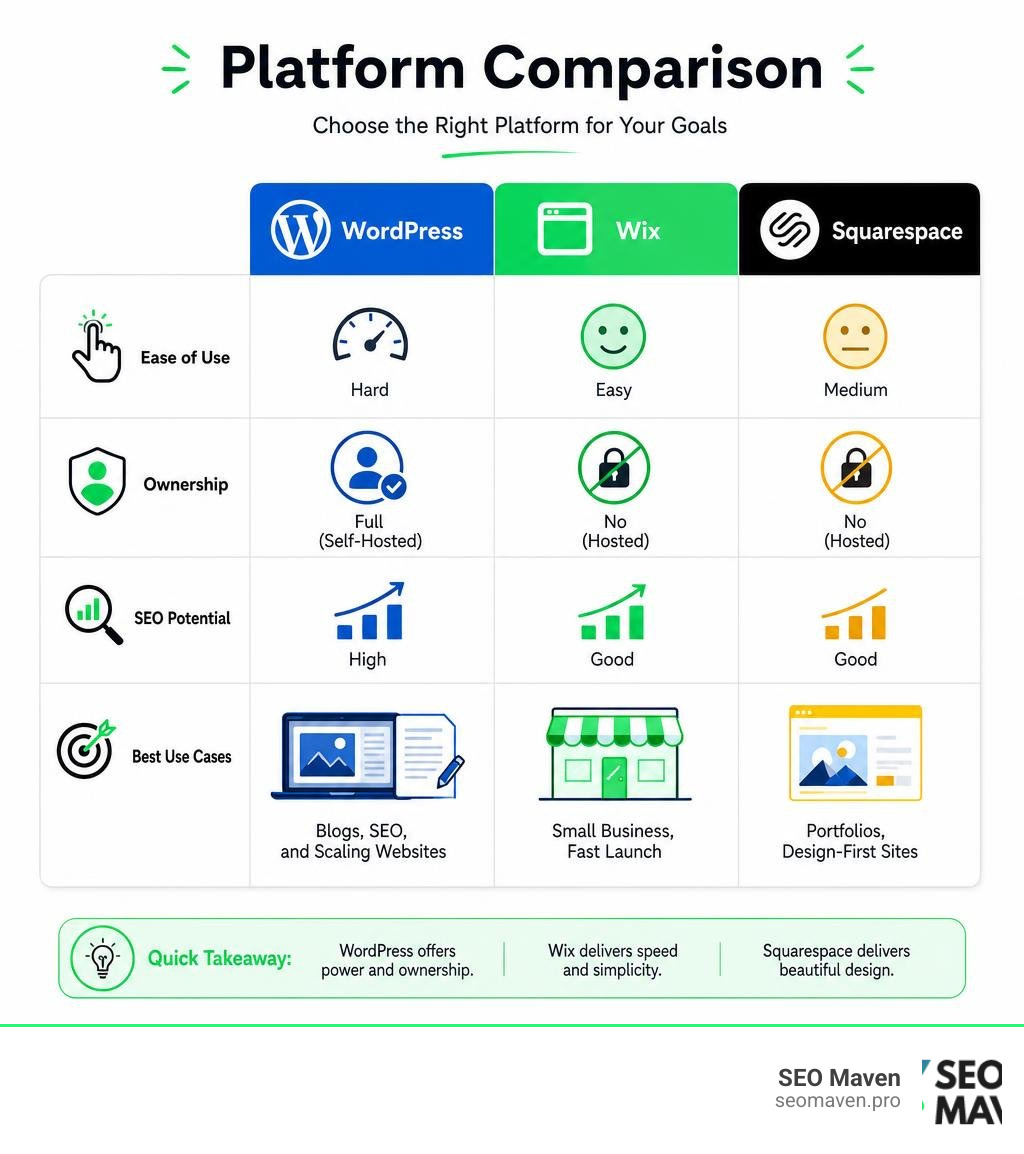
When comparing WordPress vs Wix vs Squarespace, here is the short answer:
| Platform | Best For | Ease of Use | Customization | Ownership |
|---|---|---|---|---|
| WordPress | SEO, blogs, scaling | Hard | Unlimited | Full (self-hosted) |
| Wix | Beginners, small business | Easy | High | No (hosted) |
| Squarespace | Portfolios, design-first sites | Medium | Moderate | No (hosted) |
- Choose WordPress if you want full ownership, powerful SEO, and long-term scalability.
- Choose Wix if you want to launch fast with minimal technical effort.
- Choose Squarespace if clean, polished design is your top priority.
These three platforms power over 70% of all websites that use a content management system — so it is no surprise that choosing between them feels overwhelming.
WordPress alone runs more than 40% of the entire internet. Wix has over 250 million users worldwide. Squarespace powers millions of beautifully designed sites. They are all capable. But they are built for very different people.
The real problem? Most comparisons tell you what each platform does — but not which one is right for your situation as a small business owner trying to grow online without wasting time or money.
That is exactly what this guide fixes.
One Reddit user who tried all three described the experience this way: they went from WordPress to Squarespace to Wix before finally feeling like they had found a workable middle ground. That kind of platform-hopping is common — and expensive in time and effort. This guide is designed to help you get it right the first time.
I’m Fernando Larez, a marketing professional with hands-on experience helping businesses across multiple industries navigate the WordPress vs Wix vs Squarespace decision as part of building effective digital strategies. In the sections ahead, I’ll walk you through every major factor — from design and SEO to pricing and scalability — so you can choose with confidence.
Explore more about wordpress vs wix vs squarespace:
WordPress vs Wix vs Squarespace: Key Differences at a Glance
To make the right choice, we need to look under the hood. While all three platforms help you publish text and images on the internet, they go about it in fundamentally different ways.
The primary dividing line is between a self-hosted Content Management System (CMS) and hosted website builders. WordPress.org is an open-source CMS, meaning you download the software for free but must find your own hosting provider, manage your own security, and handle updates. Wix and Squarespace are fully hosted software-as-a-service (SaaS) platforms. They bundle hosting, security, templates, and support into a single monthly subscription.
For a deeper dive into the architectural trade-offs between these systems, you can read the Squarespace vs Wix vs WordPress (2026 Guide) | Verlua .
Let’s break down the core differences in a comprehensive comparison table:
| Feature | WordPress (Self-Hosted) | Wix | Squarespace |
|---|---|---|---|
| Platform Type | Open-source CMS | Hosted website builder | Hosted website builder |
| Ease of Use | Steep learning curve | Highly intuitive | Moderate, structured |
| Design Control | Unlimited (full code access) | Pixel-perfect drag-and-drop | Structured grid-based |
| App/Plugin Library | 60,000+ plugins | 800+ apps | 40+ curated extensions |
| Maintenance | Self-managed (updates, backups) | Handled automatically by platform | Handled automatically by platform |
| Data Portability | Easy export of all files and data | Extremely limited (no direct export) | Moderate (can export basic content) |
| Customer Support | Community forums and developers | 24/7 official support | 24/7 official support |
Platform Type and Ownership
When you build a website, you are building digital equity. The question of ownership is where the debate over wordpress vs wix vs squarespace gets serious.
With self-hosted WordPress, you own everything. You own your database, your files, your design files, and your code. If you decide you do not like your hosting company, you can pack up your digital bags and move to a different provider in an afternoon. No one can shut your site down or change the rules of the platform on a whim.
Wix and Squarespace are closed ecosystems. You do not own the underlying software; you are essentially renting space on their servers. This creates “platform lock-in.” If Wix or Squarespace decides to raise their subscription prices or remove a feature you rely on, you have very little recourse.
Furthermore, migrating away from a hosted builder is notoriously difficult. If you outgrow Wix, you cannot simply click an “export” button and magically move your design to WordPress. You will have to rebuild your pages, reconfigure your layouts, and manually copy over your content. To understand these ownership risks in detail, take a look at our analysis of Squarespace vs Wix vs WordPress: Pros and Cons.
Ease of Use and Learning Curve
If you are a busy business owner in Miami or Fort Lauderdale FL, you probably do not have 40 hours to spend learning how to code. This is where Wix and Squarespace shine.
Wix is the undisputed king of beginner-friendliness. Its unstructured drag-and-drop editor allows you to place any element—text, images, forms, videos—exactly where you want it on the page. It also offers an advanced AI website generator that can build a tailored, multi-page website in minutes based on a brief conversation about your business goals.
Squarespace takes a slightly more structured approach. It uses a layout system called the Fluid Engine, which operates on a grid. While you still drag and drop elements, they snap into place on the grid. This prevents you from accidentally overlapping text boxes or creating messy, unaligned designs. It is highly intuitive, but it keeps you within professional design guardrails.
WordPress, on the other hand, has a notoriously steep learning curve. Its native editor, Gutenberg, uses a block-based system that has improved significantly over the years. However, configuring a WordPress site still requires you to manage hosting, install a theme, set up security plugins, and configure databases. For a non-technical user, this can feel like trying to assemble a car from a box of parts without instructions.
To see how these ease-of-use differences impact your day-to-day site management, check out our guide on Wix or Squarespace and Why Your Choice Matters.
Design Flexibility and Customization Options
Your website is often the first impression your customers have of your business. Whether you are running a boutique design firm in Aventura FL or a law office in Hollywood FL, your site needs to look polished, modern, and distinct.

When evaluating wordpress vs wix vs squarespace for design, you must weigh the convenience of ready-made templates against the freedom of total custom code access. Modern web design has evolved to incorporate artificial intelligence and automated responsiveness, but the platform you choose determines your creative boundaries. For a broader look at this evolution, read our thoughts on AI on Web Design.
Wix Design Freedom
Wix offers over 900 templates covering almost every industry imaginable. The design freedom in Wix is absolute—if you can see it in your mind, you can drag it onto the screen.
However, this absolute freedom is a double-edged sword. Because there are no alignment restrictions, it is incredibly easy for a non-designer to accidentally create a cluttered, unprofessional layout.
Another critical limitation of Wix is that once you select a template and build your site, you cannot swap to a completely different template without manually transferring your content.
For advanced developers, Wix offers Velo, a full-stack development platform that lets you write custom JavaScript, build dynamic content pages, and connect to external APIs. This bridges the gap between simple page-building and complex web applications.
To compare Wix’s design flexibility directly with its closest competitor, see Battle of the Builders: Is Wix or Squarespace Better?.
Squarespace Polished Aesthetics
Squarespace is often called “the Apple of website builders” because of its focus on clean, minimalist, high-end aesthetics. It offers around 150 templates, but every single one of them is professionally crafted with sophisticated typography, generous white space, and balanced color palettes.
The Fluid Engine grid system ensures that your site looks clean and aligned, even if you do not have an eye for design. Squarespace templates are also fully responsive by default, meaning they automatically resize and rearrange themselves to look perfect on smartphones and tablets.
The downside? If you want to break out of Squarespace’s pre-defined layouts, you will find yourself fighting the editor. It is perfect for showcase sites, portfolios, and local service businesses, but less ideal if you want a highly unusual or completely bespoke layout.
For a step-by-step breakdown of how Squarespace handles design constraints, refer to Wix vs Squarespace: The Ultimate Guide to Compare Website Builders.
WordPress Unmatched Customization
If Wix is a sandbox and Squarespace is a beautifully curated gallery, WordPress is an empty plot of land with an infinite supply of building materials.
The WordPress theme directory contains over 13,000 free themes, and there are tens of thousands of premium themes available on third-party marketplaces. You can also use advanced visual page builders like Elementor, Divi, or Bricks to build custom headers, footers, and page layouts from scratch without writing code.
If you do know how to code, WordPress gives you complete access to the underlying HTML, CSS, PHP, and JavaScript. You can customize every single pixel, database query, and server interaction. There are absolutely no design limits.
This level of control is essential for creating a truly unique brand experience. To understand how we leverage this flexibility to create intuitive, high-converting layouts, explore our philosophy on User-Centric Design.
Core Features, Performance, and Marketing Capabilities
A beautiful website is useless if it loads slowly, gets hacked, or fails to show up on search engines. When comparing wordpress vs wix vs squarespace, we must look at how these platforms perform in the real world of digital marketing.
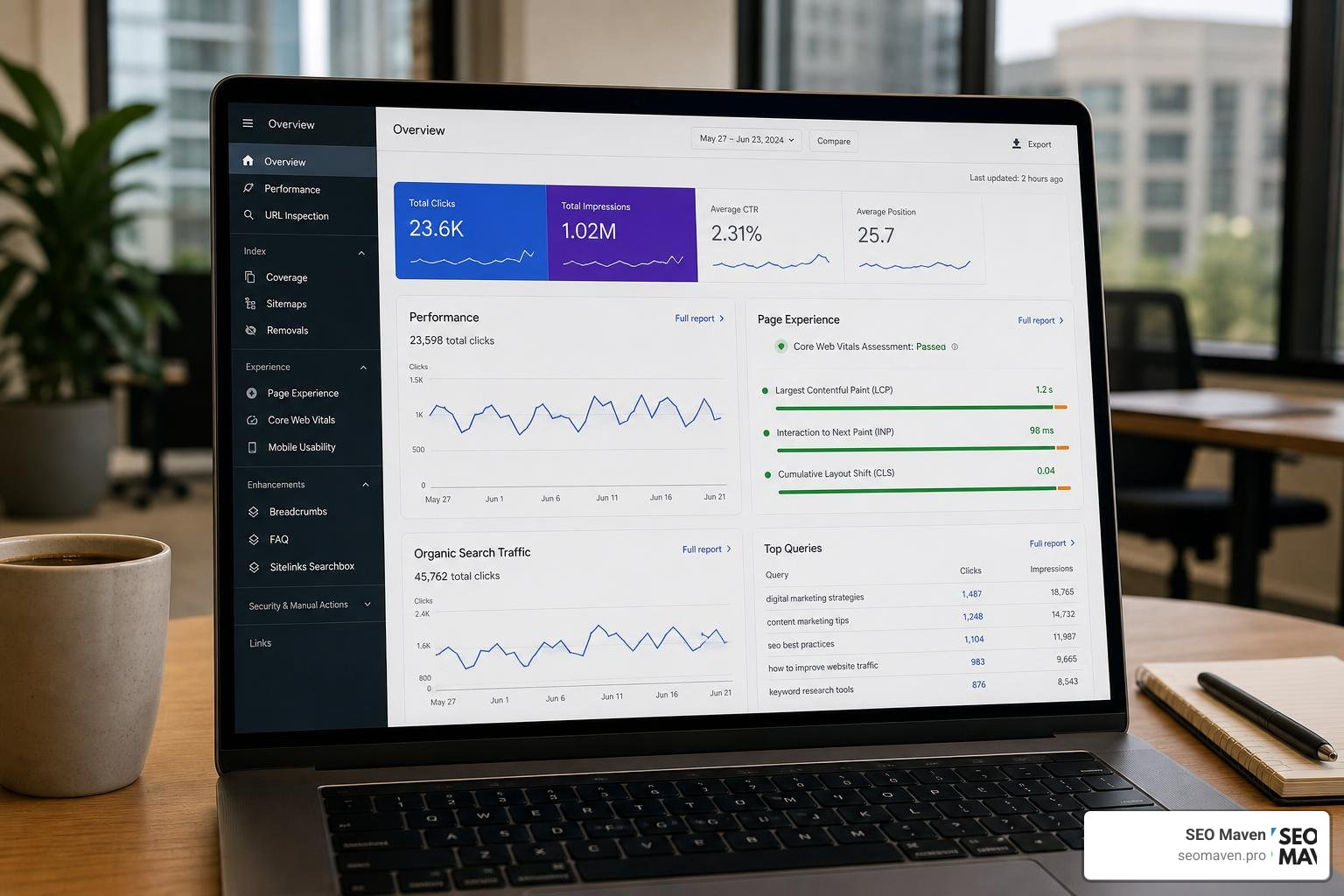
To see how these technical capabilities stack up across the board, you can read the comprehensive Wix vs Squarespace vs WordPress Ultimate Comparison & Which To Choose .
Let’s look at three critical performance benchmarks:
- Page Load Speed: WordPress sites on optimized hosting average a load time of 2.4 seconds, compared to 3.1 seconds for Wix and 3.4 seconds for Squarespace.
- Ecosystem Size: WordPress offers over 60,000 plugins, Wix has over 800 apps, and Squarespace has around 40 official extensions.
- Security: Wix and Squarespace handle all security patches and SSL certificates automatically. WordPress requires you to manage your own security plugins, firewalls, and updates.
SEO and Blogging: WordPress vs Wix vs Squarespace
Search Engine Optimization (SEO) is the lifeblood of organic growth. If your business relies on Google search traffic in South Florida, your platform choice matters.
WordPress has long been the gold standard for SEO. Because you have complete control over the site’s code, you can optimize every technical element. You can install powerful SEO plugins like Yoast SEO or Rank Math to manage schema markup, XML sitemaps, redirect rules, and meta tags. Its blogging and content organization tools (categories, tags, custom taxonomies) are unmatched, making it the clear winner for content-heavy websites.
Wix has made massive strides in SEO over the last few years. It features a built-in “SEO Wiz” that generates a personalized setup plan for your business. You can easily edit meta titles, descriptions, image alt text, and 301 redirects. Wix also includes built-in structured data tools and integrates directly with Google Search Console.
Squarespace offers clean, basic on-page SEO features. It handles sitemaps and clean URLs automatically, but it lacks the advanced technical controls of WordPress. For example, customizing certain schema markups or managing complex redirect structures can be challenging on Squarespace. It is perfectly fine for local businesses, but less suited for highly competitive, content-driven national campaigns.
For a deeper analysis of how these platforms compete in search rankings, read Wix vs Squarespace and the Quest for the Perfect Site.
Ecommerce and Scalability
Can you build an online store on all three? Yes. But the way they handle growth is very different.
Wix and Squarespace offer built-in ecommerce capabilities that are excellent for small to medium-sized stores. They support physical products, digital downloads, services, and subscription plans. They integrate with major payment gateways like Stripe and PayPal, and offer basic inventory management and tax calculations.
However, if you plan to scale your store to thousands of products, manage complex shipping logic, or integrate with enterprise-level ERP systems, both hosted builders will eventually feel restrictive. Squarespace also imposes a page limit (around 1,000 pages including blog posts) which can hinder massive catalogs.
WordPress, paired with the free WooCommerce plugin, is a global ecommerce powerhouse. It powers a massive portion of all online stores. Because it is open-source, you can customize the checkout flow, build custom product configurators, set up complex wholesale pricing tiers, and integrate with any shipping carrier or fulfillment center on earth. There are no product limits, no transaction fees (other than your payment processor’s standard fees), and no limits on your database size.
Building a scalable store is about more than just listing products—it is about conversion rate optimization. To learn how to build a store that converts visitors into customers, read our guide on How to Design a Website That Actually Makes Money.
Pricing, Hidden Costs, and Long-Term Value
When evaluating the financial side of wordpress vs wix vs squarespace, looking only at the advertised monthly subscription fees is a mistake. You must calculate the Total Cost of Ownership (TCO) over a three-to-five-year period.
To read a detailed first-hand test of these platforms’ value propositions, consult I Tested Wix vs Squarespace vs WordPress: Which is Best? .
Pricing Breakdown: WordPress vs Wix vs Squarespace
Let’s look at how the costs actually break down across the three platforms:
- Wix: Wix offers a free plan, but it displays Wix-branded ads and does not allow you to connect a custom domain. To run a professional business website, you must upgrade to a paid subscription. These subscriptions are billed as all-in-one monthly or annual fees. While this simplifies budgeting, Wix has historically raised its subscription prices, and you are locked into their ecosystem with no way to shop around for cheaper hosting.
- Squarespace: Squarespace does not offer a free plan (only a 14-day free trial). Like Wix, it uses an all-in-one subscription model. Its entry-level plans are great for simple websites, but if you want to sell products or access advanced features, you must step up to their higher-tier plans. Squarespace also charges transaction fees on its lower-tier ecommerce plans, meaning you will want to upgrade to their fully dedicated ecommerce plans as your sales grow.
- WordPress: The WordPress core software is 100% free. However, your actual costs will include web hosting, domain registration, and potentially premium themes or plugins. For a basic site, you can find highly affordable shared hosting. As your site grows, you will likely want to upgrade to managed WordPress hosting, which offers better speeds, automatic backups, and staging environments. While WordPress can be highly cost-effective, premium plugins (like advanced form builders, security monitors, or SEO tools) often charge annual licensing fees, which can add up if you are not careful.
The real “hidden cost” of WordPress is maintenance. Because there is no official support team to fix your site if a plugin update breaks your layout, you will either need the technical skills to troubleshoot it yourself or pay a developer or agency to handle maintenance and security updates for you. A neglected WordPress site is a major security risk, whereas Wix and Squarespace handle all server-side maintenance automatically.
Frequently Asked Questions about Website Builders
Which platform is best for beginners with no coding experience?
Wix is generally the easiest platform for complete beginners. Its unstructured drag-and-drop editor and conversational AI website builder allow you to create a functional, visually appealing website in a matter of hours without writing a single line of code. Squarespace is also highly beginner-friendly and guarantees a clean, professional design due to its structured grid system, making it an excellent choice if you want a polished look with minimal effort.
Can I easily migrate my website from Wix or Squarespace to WordPress later?
No, migrating from a hosted builder like Wix or Squarespace to self-hosted WordPress is not a simple “one-click” process. Because Wix and Squarespace use proprietary closed-source code, you cannot export your design files directly. You can manually export basic content like blog posts (usually via an XML or RSS feed) and product data, but your page layouts, contact forms, design settings, and custom features will have to be completely rebuilt from scratch on WordPress.
Which platform offers the best overall value for small businesses in 2026?
The best value depends entirely on your business goals and resources. If you want a simple, maintenance-free site that looks beautiful and is easy to update, Squarespace or Wix offers the best value because they handle hosting, security, and updates for you. However, if your business relies heavily on organic search engine traffic, content marketing, or complex custom functionality, WordPress offers far better long-term value because it provides unlimited scalability, superior SEO tools, and complete ownership of your digital assets.
Conclusion
Choosing between wordpress vs wix vs squarespace comes down to a fundamental trade-off: convenience versus control.
- Choose Wix if you want the absolute fastest path to a live website, want complete layout freedom without coding, and need built-in business tools like online booking or scheduling.
- Choose Squarespace if you are a creative professional, photographer, or service-based business that wants a stunning, highly polished, mobile-optimized site with zero maintenance headaches.
- Choose WordPress if you view your website as a core business asset that needs to scale, rank highly on search engines for competitive keywords, support custom functionality, and remain under your complete ownership.
As a boutique digital marketing agency based in South Florida—serving businesses in Hollywood, Miami, Fort Lauderdale, and Aventura FL—we understand that your website is the foundation of your entire marketing system.
If you are ready to build a high-performing website that ranks on Google and actually grows your business, we are here to help. We build custom, blazing-fast, secure websites tailored to your unique business goals.
Ready to get started? Explore our Professional Web Design Services or reach out to us today for a free platform consultation.