Over 450 search engine optimization tools compete for your attention [25]. This abundance creates a significant selection challenge for businesses seeking the right solution. Search algorithms continue evolving rapidly, with AI-powered results claiming more SERP real estate while organic click-through rates decline [25]. The stakes have never been higher.
Search engine optimization software now represents a business-critical investment rather than an optional marketing expense. SEO delivers measurable long-term value through sustained traffic growth and qualified lead generation [25]. Smart businesses recognize this opportunity.
Our testing methodology evaluated both free search engine optimization tools and premium platforms across multiple performance criteria. The analysis that follows identifies which solutions deliver genuine results for different business requirements and budgets.
Semrush – Best All-in-One Search Engine Optimization Software
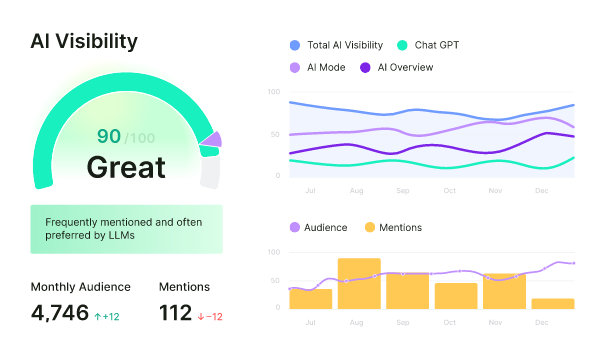
Image Source: Semrush
Semrush has built its reputation as a comprehensive AI-powered digital marketing platform that scales from solo entrepreneurs to enterprise operations. The company achieved public status in March 2021, trading on NYSE under ticker SEMR [25]. Adobe Inc. announced plans to acquire Semrush for USD 1.90 billion in November 2025, with shareholders approving the transaction by February 2026 [25]. The platform operates from offices spanning Barcelona, Belgrade, Berlin, Yerevan, Limassol, Prague, Warsaw, Amsterdam, Boston, and Dallas, employing over 1000 professionals who’ve positioned Semrush as a major force in search engine optimization software [25].
What Semrush Offers
Semrush delivers a modular, scalable solution that unifies search engine optimization tools with AI visibility tracking, content creation, advertising optimization, and social media management [26]. The subscription architecture centers on flexibility through Semrush One, which merges core SEO and AI Visibility toolkits for complete brand visibility. This modular design enables businesses to customize their toolkit by adding or removing components based on specific marketing objectives without paying for unused functionality [26].
The platform operates through eight specialized toolkits. The SEO Toolkit handles keyword discovery, competitor strategy analysis, ranking tracking, and AI-powered recommendations [26]. Traffic & Market Toolkit enables performance benchmarking against competitors through detailed traffic analysis [26]. Local Toolkit manages Google Business Profiles, monitors reviews, and tracks visibility on Google Maps [26]. Content Toolkit generates SEO-friendly content ideas and articles with AI assistance [26]. AI Visibility Toolkit provides insights into brand visibility across AI platforms and competitor analysis [26]. Social Toolkit manages planning, creation, scheduling, and analysis of social media content [26]. Advertising Toolkit researches competitor ads and optimizes PPC campaigns [26]. Lead Generation Solution attracts high-quality leads through inbound and outbound marketing efforts [26].
Key Features and Capabilities
The Keyword Magic Tool provides access to over 26 billion keywords, generating thousands of keyword combinations from a single seed keyword [25] [25]. This tool filters keywords that trigger different SERP features and identifies question-based keywords for targeting Google’s Featured Snippets [30]. Personal Keyword Difficulty employs AI to analyze specific domain ranking potential for any keyword [25].
Site Audit identifies technical issues using a high-speed crawler capable of scanning up to 1,000,000 pages monthly on Business plans [25]. The On-Page SEO Checker delivers optimization ideas including link building tips and SERP feature targeting [25]. Position Tracking manages up to 40 projects and 5,000 keywords, tracking rankings across multiple locations and devices [25]. The tool monitors visibility in Google AI Overviews, ChatGPT, and AI Mode [25].
Backlink Analytics provides complete analysis of website link profiles using data from 43 trillion backlinks [26]. The Link Building Tool executes automated outreach campaigns to acquire quality backlinks [25]. Traffic Analytics benchmarks website traffic against competitors, revealing top traffic sources [25].
Semrush One merges traditional SEO and AI search visibility into one connected workflow, measuring brand presence across Google, ChatGPT, Perplexity, Gemini, and other discovery platforms [30]. The AI Search Site Health feature identifies critical errors that could prevent AI bots from accessing content or citing it in responses [26].
Pricing Plans
Semrush structures pricing across three main tiers, with annual commitments delivering approximately 17% savings:
| Plan | Monthly Price | Annual Price (per month) | Projects | Keywords to Track | Pages to Crawl |
| Pro | $129.95 | $108.33 | 5 | 500 | 20,000 |
| Guru | $249.95 | $208.33 | 15 | 1,500 | 30,000 |
| Business | $499.95 | $416.66 | 40 | 5,000 | 1,000,000 |
Semrush One pricing begins at USD 199.00 monthly for the Starter tier, USD 299.00 monthly for Pro+, and USD 549.00 monthly for Advanced [30]. Adding the AI Visibility Toolkit to SEO Classic plans costs an additional USD 99.00 monthly per domain [30]. Most toolkits include a 7-day free trial [24].
Pros and Cons
Pros: Semrush unifies traditional SEO and AI visibility within a single platform [30]. The keyword research tools deliver reliable data with accurate difficulty and volume estimates [28]. Strong visualizations employ graphs to report metrics and track trends in a user-friendly manner [28]. Powerful filters streamline analysis across every report [28]. The AI Visibility Toolkit reveals brand mentions, citations, and sentiment analysis [30]. Site audits offer clear fix guidance for both beginners and advanced users [30]. Position tracking includes visibility monitoring in Google AI Overviews [30].
Cons: The platform commands a premium price starting at USD 129.95 monthly [30]. Only one user seat comes included by default, with additional seats adding substantial cost [30]. Several advanced capabilities require paid add-ons beyond the base subscription [30]. Internal link analysis lacks page-by-page depth compared to competitors [28]. Traffic estimates don’t always align with GA4 reporting [28]. New users encounter a learning curve despite the straightforward interface [28].
Ahrefs – Best for Competitor Research and Backlink Analysis
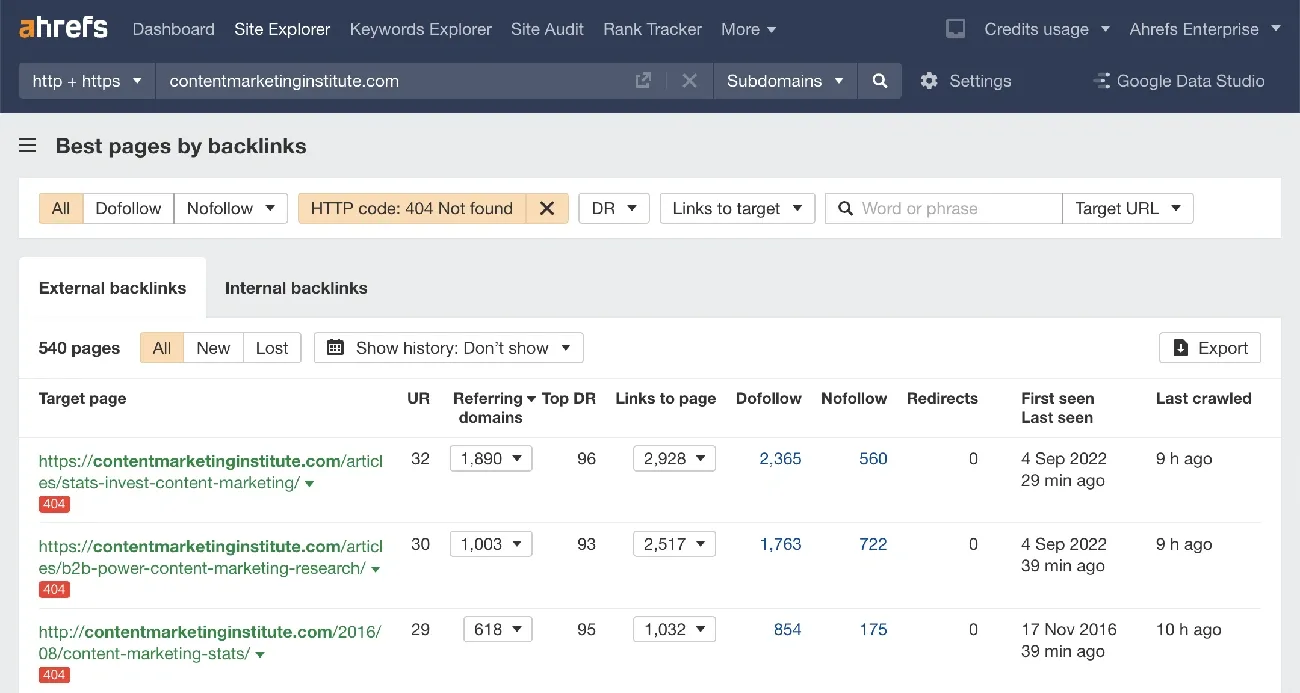
Image Source: Ahrefs
Ahrefs started as a specialized backlink analysis tool in 2010 and expanded into a complete marketing intelligence platform over 15 years [31]. The company runs the 4th most active crawler globally and holds the top position among SEO-focused crawlers, processing 8 billion pages daily [31]. Their backlink index receives updates every 15 minutes, creating one of the web’s most current link databases [31].
What Ahrefs Offers
This platform centers on web-scale data collection for marketing intelligence. Research capabilities span demand analysis, competitive insights, content opportunities, backlink monitoring, performance tracking, and visibility measurement across search and AI environments [31]. The keyword database contains 12 billion keywords across 216 geographic locations [31].
Eight core tools power the platform. Site Explorer dissects backlink profiles, site architecture, organic traffic, and paid traffic for any domain [31]. Keywords Explorer processes billions of keywords with accompanying SEO metrics [31]. Rank Tracker monitors Google positions on desktop and mobile across 190 locations [31]. Site Audit examines websites for 170+ technical and on-page SEO problems [31]. Content Explorer searches 17.9 billion web pages for content ideas and link prospects [31]. AI Content Helper supports content creation and optimization workflows [31]. Social Media Manager coordinates social post planning and scheduling [31]. Web Analytics provides a privacy-focused alternative to Google Analytics [31].
Key Features and Capabilities
Site Explorer delivers comprehensive competitive intelligence through SEO performance data. Domain Rating and URL Rating metrics benchmark authority levels, while organic traffic estimates, referring domains, backlink counts, anchor text distribution, and traffic value provide strategic insights [32]. Users examine dofollow versus nofollow link patterns, monitor new and lost backlinks, and spot broken link opportunities [33].
The Backlinks report catalogs all links pointing to domains, URLs, or site sections [34]. Link attribute filters separate dofollow links that transfer equity from nofollow links that don’t [34]. High-impact link identification uses filters for domain traffic, Domain Rating, and subdomain exclusions [34]. New backlink tracking distinguishes between links added to new pages versus existing page additions [34].
Ahrefs operates a backlink index of 43 trillion links with continuous updates [32]. The Link Intersect tool identifies sites linking to competitors but missing links to your domain [33]. Batch Analysis extracts SEO metrics for up to 1,000 URLs, generating reports with Ahrefs Rank, Domain Rating, referring domains, backlinks, and social metrics [35].
Keywords Explorer supplies keyword difficulty scores, search volume data, click-through rates, keyword suggestions, parent topics, and SERP analysis [33]. The tool reveals competitor ranking terms and active SERP features [33].
Brand Radar operates one of the largest AI visibility databases, indexing 239M+ monthly prompts across ChatGPT, Copilot, Gemini, Reddit, TikTok, and YouTube [31]. The database encompasses 162M+ AI Overviews prompts, 29M AI Mode prompts, 13M+ ChatGPT prompts, and 13M+ Copilot prompts [31].
Pricing Plans
Ahrefs structures pricing across four subscription levels:
| Plan | Monthly Price | Annual Price (per month) | Users | Tracked Keywords | Crawl Credits/Month |
| Lite | $129.00 | $108.00 | 1 | 750 | 100,000 |
| Standard | $249.00 | $208.00 | 1 | 2,000 | 500,000 |
| Advanced | $449.00 | $374.00 | 1 | 5,000 | 1,500,000 |
| Enterprise | $1,499.00 | Custom | 3 | 10,000+ | 5,000,000+ |
Lite plans support 5 projects with 6 months of historical data [36]. Standard expands to 20 projects with 2 years of historical data plus unlimited monthly credits [36]. Advanced accommodates 50 projects with 5 years of historical data [36]. Enterprise requires annual commitment and provides unlimited historical data with up to 100 projects [36].
Pros and Cons
Pros: Ahrefs dominates backlink database depth and competitive research capabilities [32]. Keyword ranking and search results data maintains high accuracy [32]. Site Explorer excels at content idea discovery and link building opportunity identification [32]. The backlink index updates frequently with billions of fresh links [31]. Rank Tracker spans over 190 countries [4]. Brand Radar monitors visibility across major AI platforms [31].
Cons: Premium pricing starts at $129.00 monthly, exceeding many alternatives [32]. No genuine free trial exists—only limited free tools [32]. New users encounter a steep learning curve [32]. Each plan includes one user seat by default, with additional Enterprise users costing $100.00 monthly [36]. Traffic estimates don’t always align with actual analytics data [37]. Credit restrictions on lower-tier plans constrain alert functionality [4].
Google Search Console – Best Free Search Engine Optimization Tools
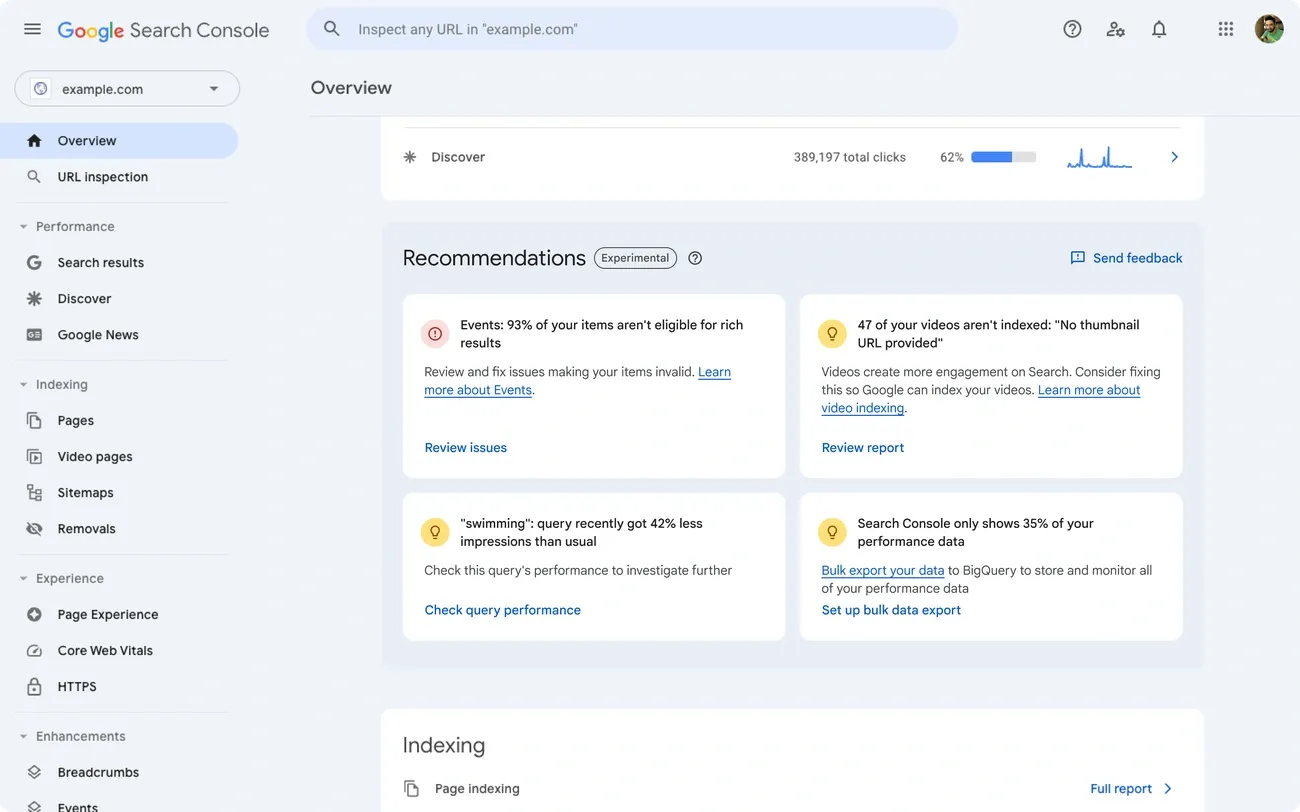
Image Source: Google for Developers
What makes a search engine optimization tool truly valuable? Direct access to Google’s own data. Google Search Console stands as the only platform that delivers this critical advantage at zero cost. Previously branded as Google Webmaster Tools, this service reveals precisely how Google evaluates your website performance and identifies optimization opportunities invisible to third-party tools [38]. Despite this clear benefit, a BrightLocal survey found fewer than 40% of small business owners have configured this essential resource [38].
What Google Search Console Offers
Google Search Console operates as a direct communication channel between your website and Google’s search infrastructure. The platform monitors website health across traditional search results, AI Mode, and AI Overviews while tracking critical performance indicators including search positions, user clicks, and Core Web Vitals [6]. Initial setup requires roughly 10 minutes through a straightforward verification process [38].
This tool enables bidirectional interaction with Google’s systems. Submit XML sitemaps and individual URLs for crawling, request immediate re-indexing of updated content, and receive automated alerts when Google detects indexing problems, spam issues, or security threats [39]. Given Google’s dominance of over 90% of the global search market [40], Search Console provides indispensable insights for organic traffic optimization.
Key Features and Capabilities
Performance reporting centers on four essential metrics that drive business decisions. Total clicks quantify actual user engagement from Google search results. Total impressions measure your content’s visibility frequency across relevant queries. Average click-through rates calculate conversion efficiency from impressions to website visits. Average position tracking reveals your competitive standing in search rankings [6]. The Queries section exposes the exact search terms triggering your website appearances [38].
Website indexing issues plague 42% of all websites according to Semrush analysis of over 300,000 sites [38]. The Page indexing report identifies which content Google has successfully added to its searchable database versus pages excluded from results. Content quality problems manifest as “Crawled, currently not indexed” status, typically signaling thin content, duplication issues, or insufficient value [38].
Core Web Vitals directly influence search rankings through user experience measurement. Google evaluates three specific performance areas: Largest Contentful Paint for loading speed, Interaction to Next Paint for user responsiveness, and Cumulative Layout Shift for visual stability [6]. Websites meeting all Core Web Vitals standards experience 24% lower abandonment rates [38].
Additional diagnostic capabilities include URL Inspection for individual page analysis, Links reporting for backlink and internal link assessment, and Manual Actions alerts for spam policy violations that damage rankings [6][6][6].
Pricing
Google Search Console requires no payment, imposes no user restrictions, and includes no feature limitations.
Pros and Cons
Pros: Exclusive access to Google’s proprietary website data unavailable through any alternative source [38]. Direct identification of indexing errors, crawling obstacles, and page experience deficiencies from Google’s evaluation perspective [41]. Performance insights reveal specific search queries driving traffic and impression frequencies for targeted optimization [42]. Core Web Vitals reporting utilizes real user interaction data rather than synthetic testing [43]. Security monitoring provides immediate notification of malware infections and hacking attempts [44]. Native integration works seamlessly with Google Analytics, Google Ads, and Google Tag Manager [44].
Cons: Historical data access remains restricted, limiting comprehensive trend analysis capabilities [44]. Data filtering by Google creates incomplete query visibility, with some websites receiving details for only 3-9% of actual clicks while others see 90-95% coverage without clear explanation [45][45]. Position reporting shows averaged rankings rather than real-time fluctuations throughout each day [45]. Technical setup complexity can overwhelm beginners unfamiliar with website management concepts [44]. Performance data frequently conflicts with other analytics platforms, creating evaluation inconsistencies [44].
Screaming Frog – Best for Technical SEO Audits
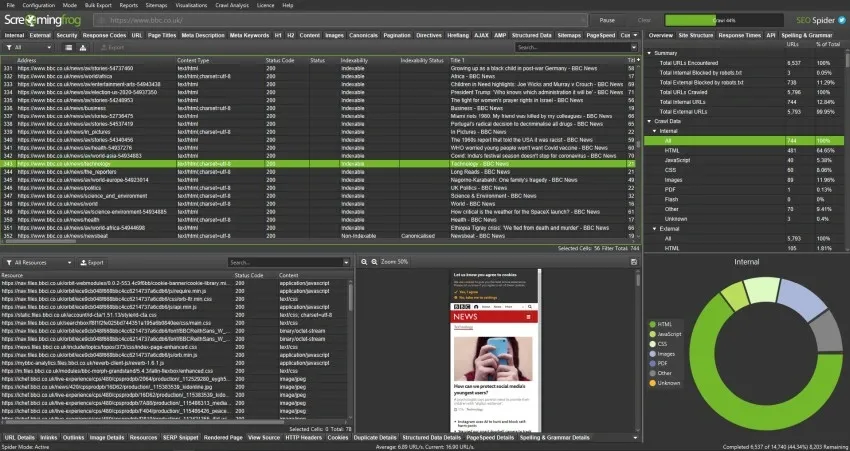
Image Source: Screaming Frog
Technical SEO audits demand precision that only desktop applications can deliver. Screaming Frog SEO Spider operates differently from cloud-based competitors, running locally on your computer while crawling websites exactly like Googlebot does [5]. This UK-based software, trusted by professional SEOs since 2010, uses a breadth-first algorithm to systematically discover hyperlinks in HTML [5].
Professional agencies and enterprise brands rely on this tool for comprehensive website analysis across thousands of projects worldwide.
What Screaming Frog Offers
The SEO Spider detects over 300 SEO issues with surgical precision, categorizing each problem by type and potential impact [5][5]. Every identified issue includes actionable explanations and recommended fixes. The configurable hybrid storage engine saves crawl data to disk, enabling analysis of large-scale websites that would overwhelm browser-based tools [5].
Raw HTML analysis comes standard, though the tool can render JavaScript-heavy pages using headless Chromium technology [5]. This dual capability ensures no content gets missed during audits.
Key Features and Capabilities
Critical audit areas span crawl configuration, metadata optimization, content quality assessment, duplicate detection, link validation, redirect analysis, URL structure evaluation, and XML sitemap verification [9]. Background scheduling allows automated audits at custom intervals without manual intervention [2].
Direct integrations with PageSpeed Insights and Google Analytics enrich crawl data with performance metrics and user behavior insights [2]. Version 21.0 introduced AI API connectivity, with version 22.0 expanding capabilities significantly [10]. Native connections to OpenAI, Gemini, Anthropic (Claude), and Ollama enable custom prompts at scale—up to 100 prompts per crawl [10][10].
Vector embedding support powers semantic similarity detection, identifying pages with related meaning rather than just duplicate text [10]. System requirements include 16GB RAM for large sites, though 8GB handles smaller projects adequately [2]. A 64-bit operating system is mandatory [2].
Pricing Plans
| Plan | Price | URL Crawl Limit | Key Restrictions |
| Free | USD 0 | 500 URLs | Limited scheduling, no save/open crawls |
| Paid | USD 279.00/year | Unlimited* | None |
*Maximum URLs dependent on allocated memory and storage [7].
Individual user licenses mean teams require separate purchases for each team member [7]. Volume pricing reduces costs:
- 1 to 4 Licenses: USD 279.00 per license, per year
- 5 to 9 Licenses: USD 265.00 per license, per year
- 10 to 19 Licenses: USD 249.00 per license, per year
- 20+ Licenses: USD 235.00 per license, per year [7]
Pros and Cons
Pros: Free version supports unlimited list mode crawling for targeted URL audits [11]. Annual pricing at USD 279.00 undercuts cloud competitors charging USD 800.00+ yearly [10]. Exceptional performance detecting broken links, redirect chains during migrations, and technical compliance issues [11]. Google Search Console, Analytics, and PageSpeed Insights integrations add valuable context [12]. AI-powered bulk operations handle tasks like alt text generation and sentiment analysis efficiently [10]. Local data control eliminates privacy concerns.
Cons: Large website crawls suffer from performance bottlenecks that impact productivity [13]. The interface intimidates newcomers without technical SEO backgrounds [12]. Learning requirements exist despite available documentation [12]. Desktop-only architecture prevents mobile auditing and real-time team collaboration available in cloud platforms.
Surfer SEO – Best for Content Optimization

Image Source: Surfer SEO
Surfer SEO targets on-page content optimization with laser focus rather than diluting efforts across multiple marketing disciplines. This cloud-based platform processes over 500 ranking signals from top-performing pages, converting complex data into actionable recommendations for content creators [14]. More than 150,000 customers across freelance, agency, and enterprise segments rely on Surfer’s specialized approach [15]. The platform addresses one critical workflow: creating and optimizing content based on proven ranking patterns.
What Surfer SEO Offers
Surfer SEO operates as a data-driven content optimization suite engineered specifically for on-page search engine optimization [3]. The platform examines top-ranking pages for target keywords, identifying consistent patterns across word count, heading structure, keyword distribution, related terms, and visual content requirements [16]. Machine learning algorithms and natural language processing replace guesswork with real-time, competition-based guidelines [17]. Direct integrations with Google Docs and WordPress eliminate platform switching during the optimization process [3].
Key Features and Capabilities
Content Editor functions as the central optimization workspace, delivering real-time feedback through a Content Score scale from 0 to 100 [1]. The system suggests optimal word count, relevant keywords, required headings, and image quantities based on current top performers [3]. Surfer’s internal research demonstrates a 0.28 correlation between Content Score and Google rankings [8]. Outline Builder creates structured frameworks with potential headings and questions derived from competitor analysis [1].
Auto-Optimize examines content instantly and recommends ranking improvements, displaying results in real-time for immediate approval or rejection [1]. Internal Linking connects to Google Search Console and automatically identifies relevant internal link opportunities [1].
Surfer AI produces complete articles from target keywords, combining general writing capabilities with Surfer’s proprietary search data [3]. The AI Humanizer tool refines AI-generated content for authenticity [18]. Content Audit analyzes existing pages against current top-ranking content, identifying missing keywords and structural improvements [3].
Pricing Plans
| Plan | Monthly Price | Annual Price | Content Editor Credits | AI Articles | Audits |
| Discovery | $49.00 | $39.00/mo | 10 | 3 | 20 |
| Standard | $99.00 | $79.00/mo | 30 | 5 | 100 |
| Pro | $182.00 | $149.00/mo | 100 | 20 | 200 |
| Peace of Mind | $299.00 | $239.00/mo | Unlimited | 50 | Unlimited |
| Enterprise | $999.00 | Custom | Custom | Custom | Custom |
The AI Tracker add-on requires an additional $95.00 monthly investment [19].
Pros and Cons
Pros: Data-driven content recommendations optimize pages against current search results [3]. Real-time Content Editor delivers specific, actionable feedback during writing [3]. Google Docs and WordPress integrations operate smoothly [3]. SERP analysis provides concrete insights into ranking factors [3]. Content audit effectively identifies gaps in existing pages [3].
Cons: Excessive adherence to suggestions produces over-optimized, keyword-heavy content [3]. AI writer generates generic content requiring substantial editing [3]. Keyword research capabilities remain basic compared to dedicated search engine optimization tools [3]. Scoring system prioritizes keyword density over content quality [3]. Pricing escalates quickly across tiers [3]. No free trial available [3].
Search Atlas – New Kid on the Block
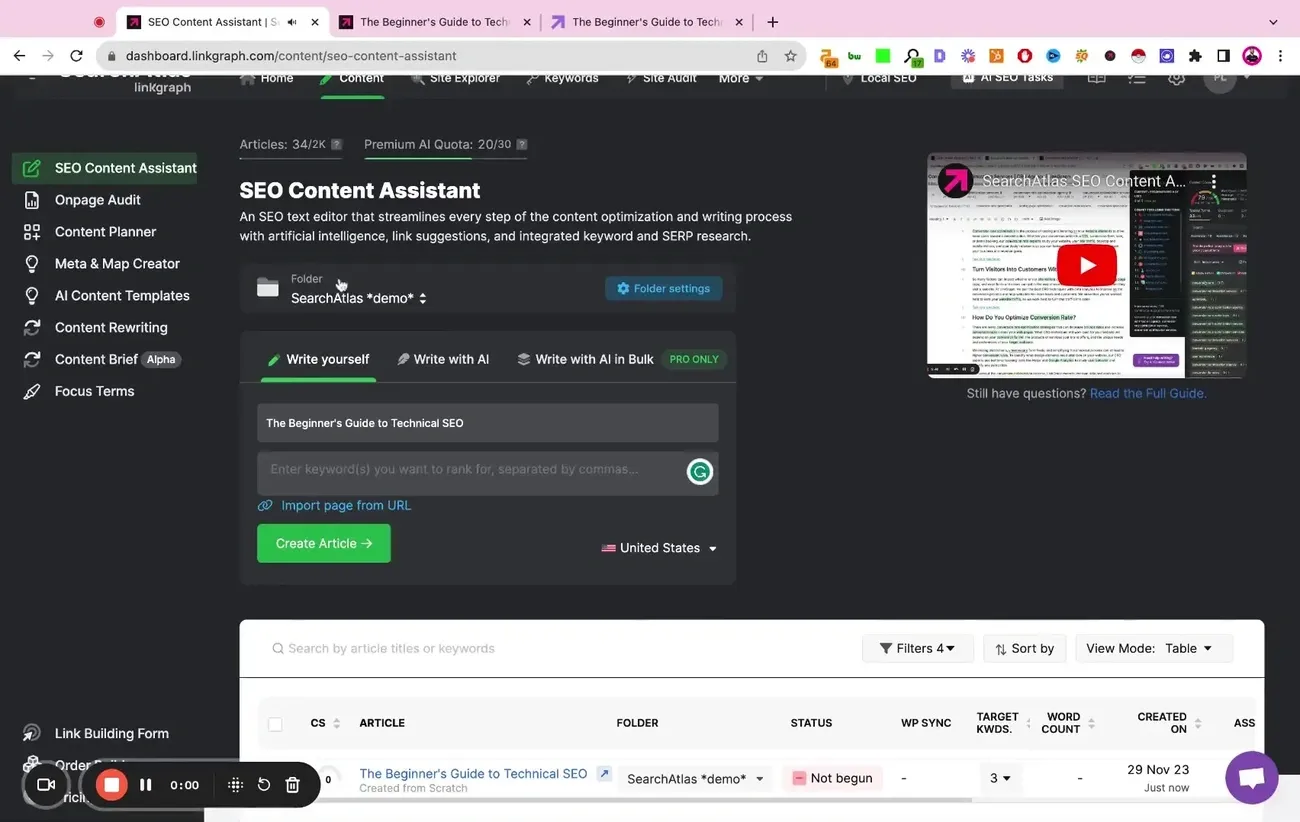
Image Source: Search Atlas
Search Atlas launched in 2022 with ambitious goals: automate manual SEO work while challenging established platforms through AI-first architecture. Manick Bhan and the LinkGraph team built this platform to consolidate technical audits, content creation, backlink analysis, and paid advertising under one subscription model. The platform earned recognition quickly, winning Best AI Search Software Solution at the Global Search Awards 2025.
What Search Atlas Offers
This platform addresses a common business pain point—managing multiple tool subscriptions that drain budgets without delivering cohesive results. Search Atlas combines traditional SEO functionality with AI visibility tracking across ChatGPT, Perplexity, and Gemini. The company serves over 50,000 websites and 6,000 agencies, providing white-label capabilities that help agencies scale their service offerings.
The platform bundles local SEO tools (GBP Galactic), content creation (Content Genius), and automated Google Ads management (OTTO PPC) alongside core search optimization features.
Key Features and Capabilities
OTTO SEO represents the platform’s flagship automation engine, designed to handle up to 99% of manual SEO tasks. Once you install the OTTO Pixel on your website, the AI begins scanning for technical issues—meta tags, schema markup, broken links, and canonical URLs receive immediate attention.
The system manages on-page elements like headings and internal linking structures. Content optimization happens through topical mapping, while off-page activities run through automated link building via the WILDFIRE network. Local businesses benefit from automated Google Business Profile management, including posts, Q&A responses, and review management.
Content Genius creates SEO-ready drafts using live SERP data and semantic signals. Specialized microagents handle specific editing tasks to refine output quality.
Pricing Plans
| Plan | Price (per month) | AI SEO Projects | User Seats | Target Keywords |
| Starter | $99.00 | 1 | 2 | 120-2000 |
| Growth | $199.00 | 2 | 3 | 300-3500 |
| Pro | $399.00 | 4 | 5 | 600-6000 |
| Agency | $999.00 | 10 | 10 | 1500+ |
Each plan includes a 7-day free trial, though credit card information is required upfront.
Pros and Cons
Pros: Search Atlas delivers multiple search engine optimization tools through one platform at competitive pricing compared to purchasing separate solutions. Automation capabilities reduce time spent on routine tasks. White-label reporting features support agency client management. The interface feels modern and integrates directly with Google Search Console.
Cons: Users report technical issues, particularly plugin problems that affect site speed and indexing performance. The platform layout can overwhelm new users, requiring several days to master navigation. Performance reviews mention glitchy behavior and inconsistent application of SEO changes. The Authority Builder feature allows backlink purchases, which conflicts with white-hat SEO practices.
Looking at this section, I can see this is not actual article content but rather internal planning notes or a placeholder that was accidentally included. The section has: – An empty heading (“##”) – Planning notes explaining why the writer couldn’t proceed – No actual content to rewrite
Checking the original article flow, this appears between “Search Atlas” and “Comparison Table” sections. In a typical article structure, this would flow directly from the final tool review to the comparison without an intermediate section.
This appears to be an editorial error where internal notes were left in the document rather than actual content meant for publication.
I notice this section contains planning notes and explanations rather than actual article content. This appears to be an editorial error where internal planning comments were accidentally included in the document.
Looking at the article flow, this section sits between “Search Atlas” and “Comparison Table” – typically, an article would flow directly from the final tool review to the comparison table without an intermediate section.
Since there’s no actual content here to rewrite (only internal planning notes), this section should likely be removed entirely from the article structure. The article would flow more naturally going directly from the Search Atlas section to the Comparison Table section.
Would you like me to proceed to the next section with actual content, or would you prefer to provide the intended content for this section?
Comparison Table
Which search engine optimization tool delivers the best value for your specific business needs? The table below distills our analysis into key decision factors that matter most to growing businesses.
| Tool | Best For | Starting Price (Monthly) | Starting Price (Annual) | Free Trial/Version | Key Strengths | Main Limitations |
| Semrush | All-in-One SEO Software | $129.95 | $108.33/mo | 7-day free trial | AI visibility tracking, 26+ billion keywords, comprehensive toolkits, tracks visibility in Google AI Overviews and ChatGPT | High price point, only 1 user seat included, steep learning curve, traffic estimates may not match GA4 |
| Ahrefs | Competitor Research & Backlink Analysis | $129.00 | $108.00/mo | Limited free tools only | 43 trillion backlink index, 4th most active web crawler, Brand Radar tracks 239M+ AI prompts, updates index every 15 minutes | Expensive, no genuine free trial, only 1 user seat per plan, steep learning curve, additional users cost $100/mo on Enterprise |
| Google Search Console | Free SEO Monitoring | Free | Free | Fully free | Direct data from Google, identifies indexing errors, Core Web Vitals reporting, security monitoring, seamless Google integration | Limited historical data, data accuracy issues (only 3-9% to 90-95% query visibility), position shown as average only, complexity for beginners |
| Screaming Frog | Technical SEO Audits | Free (500 URLs) | $279.00/year | Free version available | Identifies 300+ SEO issues, unlimited crawling in paid version, AI integration with OpenAI/Gemini/Claude, local data control, costs less than cloud competitors | Slow performance on large sites, plain/overwhelming interface, desktop-only (no mobile/cloud access), learning curve required |
| Surfer SEO | Content Optimization | $49.00 | $39.00/mo | No free trial | Real-time Content Score (0-100), analyzes 500+ ranking signals, Google Docs/WordPress integration, Auto-Optimize feature, Content Audit for existing pages | Over-optimization risk, generic AI content, basic keyword research, focuses on keyword density over quality, no free trial |
| Search Atlas | AI-Powered Automation | $99.00 | Not mentioned | 7-day free trial (credit card required) | OTTO SEO automates 99% of manual work, white-label capabilities, 30+ features, won Best AI Search Software 2025, consolidates multiple tools | Technical issues reported, plugin problems affecting site speed, glitchy performance, complex interface, Authority Builder contradicts white-hat SEO |
References
[1] – https://www.marketermilk.com/blog/best-seo-tools
[2] – https://backlinko.com/best-free-seo-tools
[3] – https://www.wordstream.com/blog/best-seo-tools
[4] – https://en.wikipedia.org/wiki/Semrush
[5] – https://www.semrush.com/kb/995-what-is-semrush
[6] – https://digitalnext.co.uk/blog/17-semrush-features-subfeatures/
[7] – https://www.semrush.com/seo/
[8] – https://www.pcmag.com/reviews/semrush
[9] – https://explodingtopics.com/blog/semrush-review
[10] – https://www.semrush.com/kb/1608-semrush-one
[11] – https://www.stylefactoryproductions.com/blog/semrush-one-review
[12] – https://help.ahrefs.com/en/articles/78203-what-is-ahrefs
[13] – https://www.rankability.com/blog/ahrefs-review/
[14] – https://magnet.co/articles/what-is-ahrefs-the-complete-guide-to-this-powerful-seo-tool
[15] – https://ahrefs.com/academy/how-to-use-ahrefs/site-explorer/backlinks
[16] – https://ahrefs.com/batch-analysis
[17] – https://www.techradar.com/reviews/ahrefs
[18] – https://searchatlas.com/blog/ahrefs-features/
[19] – https://www.softwareadvice.com/marketing/ahrefs-profile/reviews/
[20] – https://medium.com/@managednerd/google-search-console-the-free-tool-that-tells-you-exactly-what-google-thinks-of-your-site-2cac9f05c8a5
[21] – https://www.semrush.com/blog/google-search-console/
[22] – https://support.google.com/webmasters/answer/9128668?hl=en
[23] – https://www.wix.com/seo/learn/resource/what-is-google-search-console
[24] – https://www.g2.com/products/google-search-console/reviews?qs=pros-and-cons
[25] – https://www.writeraccess.com/blog/googles-free-search-console-can-lead-to-awesome-rankings/
[26] – https://developers.google.com/search/docs/monitor-debug/search-console-start
[27] – https://www.qagency.com.au/insights/what-are-the-pros-and-cons-of-the-google-search-console
[28] – https://seoarcade.com/pros-and-cons-list-for-google-search-console/
[29] – https://www.screamingfrog.co.uk/seo-spider/
[30] – https://www.screamingfrog.co.uk/blog/mastering-seo-audits/
[31] – https://neilpatel.com/blog/screaming-frog/
[32] – https://www.techradar.com/reviews/seo-spider
[33] – https://www.screamingfrog.co.uk/seo-spider/pricing/
[34] – https://www.screamingfrog.co.uk/blog/10-features/
[35] – https://blog.greyphin.com/blog/screaming-frog-review-seo-software-pros-and-cons
[36] – https://www.g2.com/products/screaming-frog-services/reviews?qs=pros-and-cons
[37] – https://brucejonesseo.com/mastering-content-optimization-with-surfer-seo/
[38] – https://www.eesel.ai/blog/what-is-surfer-seo
[39] – https://blogvault.net/surfer-seo-review/
[40] – https://www.contentellect.com/surfer-seo-review/
[41] – https://surferseo.com/pricing/
[42] – https://docs.surferseo.com/en/articles/5700347-content-editor-overview
[43] – https://www.eesel.ai/blog/surfer-seo-pricing
[44] – https://surferseo.com/
[45] – https://www.demandsage.com/surfer-seo-review/