How to Use Meta Ad Manager for Instagram to Run Better Ads
Meta Ad Manager Instagram is the tool you use to create, run, and track ads on Instagram — all from one dashboard inside Meta’s advertising platform.
Here’s a quick summary of how it works:
- Log in to Meta Ads Manager
- Click “+ Create” to start a new campaign
- Choose an objective (Traffic, Sales, Engagement, etc.)
- Set your audience, budget, and schedule at the ad set level
- Select Instagram as your placement under the Platforms section
- Upload your creative (image, video, or carousel)
- Publish — your ad goes into review before it goes live
That’s the core flow. The sections below break down each step in detail.
Meta Ads Manager is a single platform that lets you run ads across Facebook, Instagram, Messenger, and WhatsApp at the same time. For small businesses in South Florida trying to stretch a limited marketing budget, this matters — you don’t need separate tools or accounts for each platform.
Instagram advertising through Meta Ads Manager gives you access to real-time performance data, advanced audience targeting, and AI-powered optimization tools like Advantage+ — all in one place.
I’m Fernando Larez, a marketing professional and digital strategist based in Hollywood, Florida, with hands-on experience running campaigns through Meta Ad Manager Instagram across multiple industries. In the sections below, I’ll walk you through exactly how to set it up and get results.
What is Meta Ads Manager for Instagram?
At its heart, Meta Ads Manager is a centralized hub designed to handle every aspect of your digital advertising journey. While many beginners start by using the “Boost Post” button directly within the Instagram app, moving to the full Ads Manager is like switching from a bicycle to a turbocharged engine.
It is a cross-platform tool that allows us to manage ads not just on Instagram, but across the entire Meta ecosystem, including Facebook, Messenger, and the Audience Network. According to the Facebook Ads Manager Overview, this “all-in-one” tool is your starting point for creating ads, deciding exactly where they appear, and tracking how well they perform against your specific marketing goals.
For a boutique agency like SEO Maven, we value this platform because it provides:
- Granular Audience Targeting: You can define exactly who sees your ads based on demographics, interests, and behaviors.
- Precise Budget Control: You decide down to the cent how much you want to spend per day or over the lifetime of a campaign.
- Real-Time Insights: You don’t have to guess if your ad is working; the dashboard shows you impressions, clicks, and conversions as they happen.
Prerequisites for Running Ads on Instagram
Before we can dive into the creative fun, we need to make sure your digital foundation is solid. Meta has specific requirements to ensure security and ad quality.
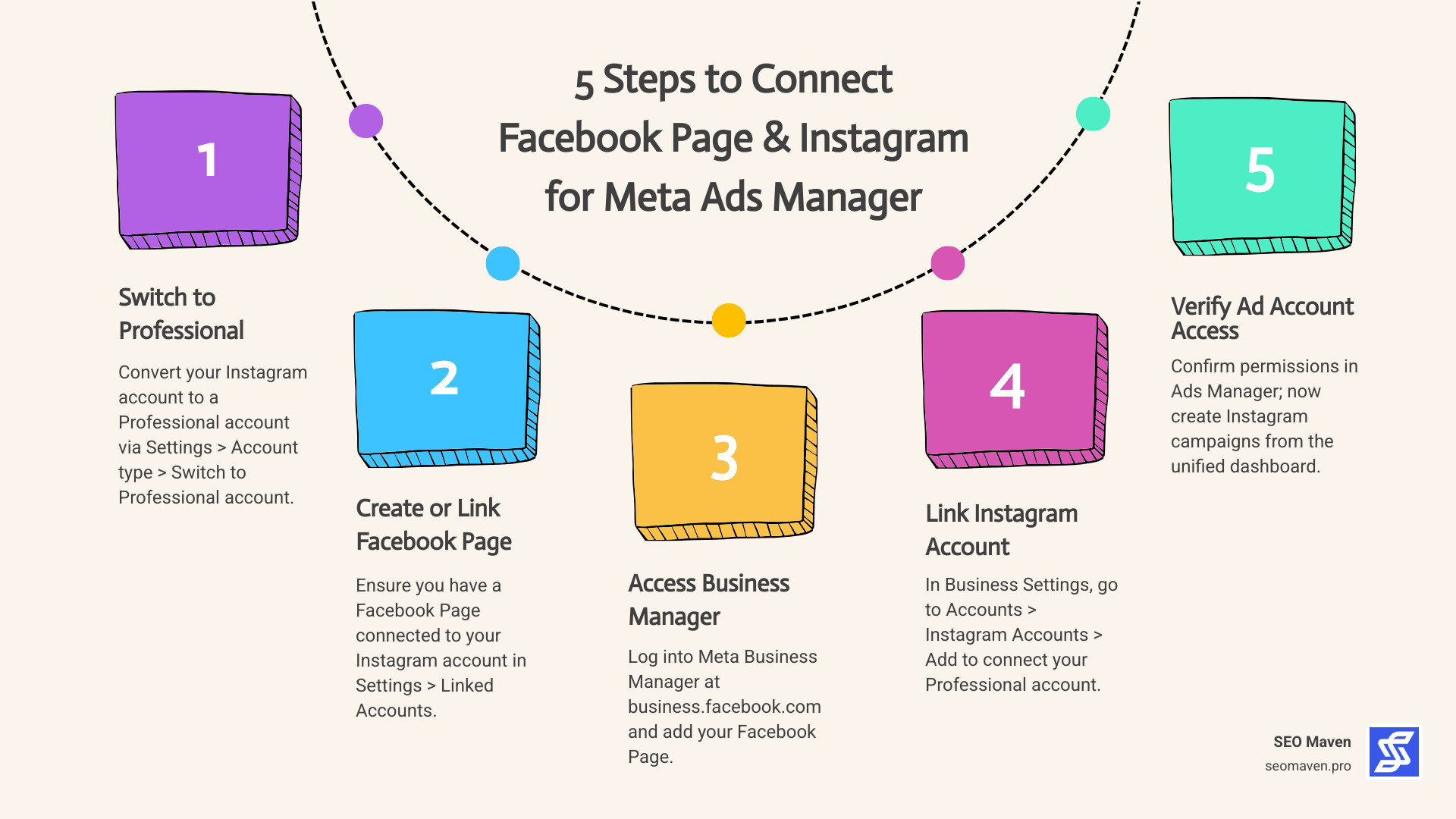
- Instagram Professional Account: You cannot run advanced ads from a personal profile. You must switch to a Business or Creator account in your Instagram settings.
- Facebook Page: Even if you only want to advertise on Instagram, Meta requires a Facebook Page to represent your business in the backend.
- Business Portfolio: We recommend setting up a Meta Business Suite account to house your “Business Portfolio.” This keeps your assets (Pages, Instagram accounts, and Ad accounts) organized.
- Meta Ad Account: You need a specific ad account. You can learn more about this through the About Meta Ad Account options for ads on Instagram – Help Instagram guide.
- Payment Method: You must add a valid credit card, debit card, or PayPal account in the “Billing & Payments” section of Ads Manager.
- Compliance: All ads must follow the Meta Advertising Standards. This means no prohibited content, misleading claims, or low-quality visuals.
Once these are linked, you are ready to start building.
Step-by-Step Guide to Meta Ad Manager Instagram Campaigns
Creating a campaign in meta ad manager instagram follows a hierarchical structure: Campaign (the goal), Ad Set (the audience and placement), and Ad (the creative).
The Setup Process
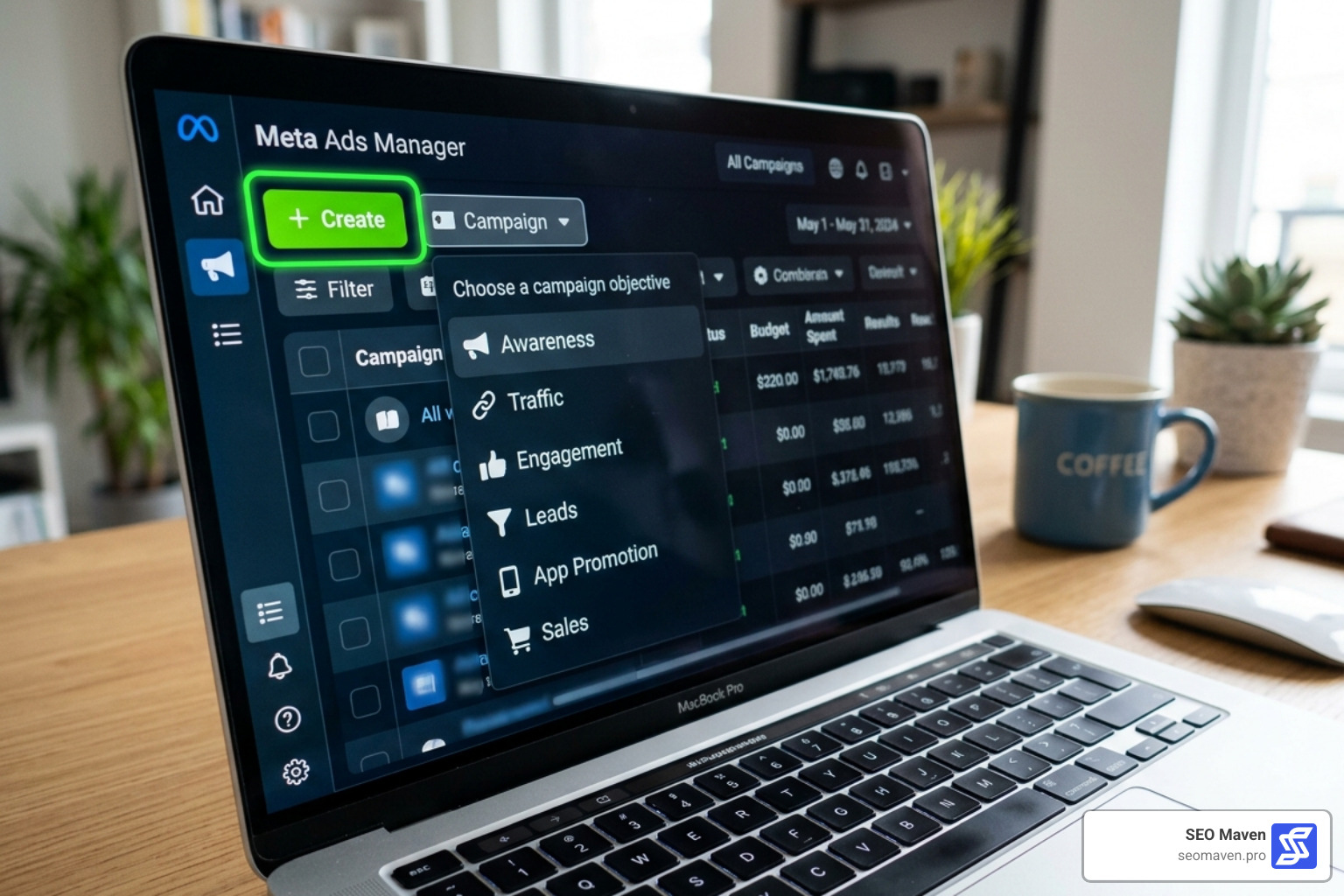
- Launch the Tool: Go to your Meta Ads Manager dashboard and click the green “+ Create” button.
- Choose an Objective: Meta has simplified these into six main categories: Awareness, Traffic, Engagement, Leads, App Promotion, and Sales. Pick the one that aligns with your end goal (e.g., “Sales” if you want people to buy a product).
- Name Your Campaign: Give it a clear name like “Summer Sale – Instagram Reels – Miami.”
- Set Your Budget: You can choose a Daily Budget (an average spend per day) or a Lifetime Budget (a total amount for a set period). We often suggest Lifetime budgets for small businesses in South Florida to allow Meta’s AI to spend more on high-performing days.
- Define Your Audience: Use the Ad Set level to pick locations (like “Fort Lauderdale” or “Aventura”), age ranges, and interests.
- Set Conversion Location: Tell Meta where you want the “action” to happen—on your website, in the Instagram Shop, or via Direct Message.
For more detailed technical steps, you can refer to the official guide on how to Create ad campaigns in Meta Ads Manager | Meta Business Help Center.
Choosing Your Objectives and Formats
The format you choose should match your objective. Here is a breakdown of what is available:
- Single Image or Video: The classic choice for Feed or Stories.
- Carousel: Great for showcasing multiple products or telling a step-by-step story.
- Collection: A mobile-optimized format that allows users to browse a “mini-store” without leaving the app.
Selecting Instagram Placements in Meta Ad Manager Instagram
This is the most critical step for an Instagram-only strategy. By default, Meta uses “Advantage+ Placements,” which spreads your ad across Facebook and Instagram.
If you want to focus strictly on Instagram:
- Scroll down to the Placements section in the Ad Set level.
- Select Manual Placements.
- Uncheck everything except Instagram.
- Within the Instagram list, you can toggle specific areas: Feed, Stories, Reels, Explore, and Explore Home.
Optimizing Your Instagram Ad Creative and Placements
Instagram is a visual-first platform. If your creative looks like a “traditional” ad, people will scroll right past it. To win, your content needs to feel native to the environment.
Design Specifications
Each placement has different requirements. For example, a Feed ad is usually square (1:1), but a Reel or Story must be vertical (9:16). If you try to run a square video in a Reel, it will look awkward with large black bars at the top and bottom.
| Placement | Aspect Ratio | Best Practice |
|---|---|---|
| Instagram Feed | 1:1 or 4:5 | Use high-res images and keep text in the caption, not the image. |
| Instagram Stories | 9:16 | Leave the top and bottom 14% clear of text to avoid overlapping the UI. |
| Instagram Reels | 9:16 | Use trending audio and editing. |
Interactive Elements
One of the best ways to increase engagement is by using interactive features. When you Create Instagram Stories ads in Meta Ads Manager | Meta Business Help Center, you can often include Call-to-Action (CTA) stickers or “Swipe Up” links. Meta’s generative AI tools can also help you expand images or vary your ad text automatically to see what resonates best with your Miami or Hollywood audience.
Advanced Optimization and Performance Tracking
Launching the ad is only half the battle. To get the maximum ROI—which is our main focus here at SEO Maven—you need to use Meta’s advanced optimization tools.
Advantage+ and AI
Meta is leaning heavily into AI. Advantage+ campaign setup automates much of the heavy lifting. It uses machine learning to find the people most likely to convert, even if they don’t fit into your original “Interest” categories.
While drafting your campaign, look for the Campaign Score. This is a prediction (out of 100) of how well-optimized your setup is. If your score is low, Meta will provide “Opportunity Scores” with specific recommendations to improve your performance, such as adding more creative variations or broadening your audience.
Monitoring Performance
Once your ad is live, check the Ads Manager dashboard regularly.
- CTR (Click-Through Rate): Is the creative interesting enough to click?
- Cost Per Result: Are you paying too much for a lead or sale?
- Frequency: Are people seeing the same ad too many times? (Usually, a frequency over 3.0 starts to see diminishing returns).
Frequently Asked Questions about Meta Ad Manager Instagram
How do I connect my account to Meta Ad Manager Instagram?
To link them, go to your Facebook Page Settings and select “Linked Accounts.” From there, click “Instagram” and follow the prompts to log in. Alternatively, you can add the Instagram account directly into your Meta Business Suite under “Business Settings” > “Instagram Accounts.”
What are Advantage+ campaigns?
These are AI-driven campaign setups that automate audience targeting, creative delivery, and placement. They are designed to maximize performance by letting Meta’s algorithms do the testing for you. They are particularly effective for Sales and Leads objectives.
Which objectives support Instagram placements?
Almost all of them! You can use Instagram placements for Awareness, Traffic, Engagement, Sales, Leads, and App Promotion. However, some specific features (like “Collection” ads) might only be available for certain objectives like Sales.
Conclusion
Mastering meta ad manager instagram is one of the fastest ways for small businesses in South Florida to level the playing field against larger competitors. By moving away from simple “boosted posts” and embracing the full power of the Ads Manager, you gain access to the same high-level targeting and AI tools used by global brands.
At SEO Maven, we believe in helping small businesses achieve more with less. Whether you are in Miami, Fort Lauderdale, or Aventura, our boutique agency focuses on high-ROI strategies that turn ad spend into actual growth.
Ready to stop guessing and start growing? Scale your business with a Meta Ads Agency and let us help you navigate the ever-changing world of Meta advertising.